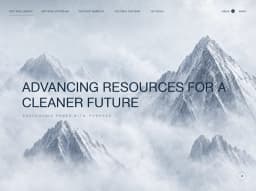
Prompt v1 · Precise · 2,780 words
Planetary Journey: Cinematic Planet Explorer Hero
A full-screen, cinematic website that explores the solar system. It opens with a preloader over an aerial Mars fly-through, then settles into a planet "resting state": a full-bleed landscape photo or video, a giant condensed planet name, a planet list, a glassy nav pill, and a rounded "Next" preview card in the centre. Clicking the card plays a dive transition: the card expands to full screen and the camera zooms from space through the clouds down to the next planet's surface. The UI then re-populates for the new planet. Rebuild it faithfully and make it fully working, with smooth motion at 60fps.
Layout
- Reference viewport is 1280×944. Everything is
position: fixedover a full-viewport media stage (100vw × 100dvh,overflow: hidden). - Background stage (z 0): a full-bleed landscape video or image with
object-fit: cover.- A bottom darkening gradient covers the lower ~35%, from transparent to
rgba(0,0,0,0.75). - A subtle top darkening covers the top ~25%, from
rgba(0,0,0,0.35)to transparent.
- A bottom darkening gradient covers the lower ~35%, from transparent to
- Logo (top-left): the "K" mark, ~40×40px, at left 26px and top 28px.
- Nav (top-right): right edge at 24px from the viewport edge, top 30px, height 44px.
- A glass pill group, ~278px wide, holds About, Explore and Planets.
- It is followed immediately by a separate solid white "Menu" pill, ~84px wide.
- Planet list (left, vertically centred): left 26px, first item at ~392px from the top, 8 items on a ~27.5px row pitch (ending ~585px).
- Next label + preview card (centre):
- The card is ~338×368px, centred horizontally, with its top edge at ~288px (card centre ~ 50% x, 50% y).
- The label row sits 14px above the card, spanning the card's width. "Next:" is left-aligned to the card's left edge, and "[03] Earth" is right-aligned to its right edge.
- Giant planet name (bottom-left): left 20px, baseline ~32px from the bottom.
- Cap height is ~192px, and the word "EARTH" renders ~372px wide.
- "MARS" renders ~365px wide.
- Data table (bottom-right): x ≈ 808–1242px (width ~434px), bottom ~40px.
- Label column ~164px wide, value column the remainder.
- Rows are separated by 1px lines.
- Preloader: the logo is centred (~64px tall) and the percentage counter is bottom-centred, ~50px from the bottom.
- Responsive:
- Desktop (≥1024px): as described above.
- Tablet (640–1023px):
- The card shrinks to ~280×305px.
- The data table moves to full width below the planet name, with 24px side padding.
- The planet name shrinks to about 18vw.
- Mobile (<640px):
- The nav collapses to the logo plus the "Menu" pill only.
- The planet list becomes a horizontal scrollable row of chips above the planet name.
- The card is ~220×240px, placed at ~40% height.
- The planet name is sized at 26vw.
- The table stacks label over value.
Visual style
Colors
#FFFFFF: all UI text, active pills, the cursor dot, and the active list dot.#0A0A0A: text inside white pills (About, Menu).rgba(255,255,255,0.10)withbackdrop-filter: blur(12px): glass nav background (static blur, never animated).rgba(255,255,255,0.40): glass nav border, 1px.rgba(255,255,255,0.45): data table dividers.rgba(255,255,255,0.85): inactive planet list items and the "[03]" index.#000000: the space area at the top of preview cards and the star field background.- Scene palette (from the media, for placeholders):
- Mars rust:
#B85A34 - Mars haze:
#E39A62 - Mars sky dusk:
#2A2220 - Savanna sunset orange:
#E8844A - Savanna grass:
#5C6B2E - Earth ocean:
#2F5E8E - Venus:
#B8612A
- Mars rust:
Typography
- UI sans: "Inter" (fallback
"Helvetica Neue", Arial, sans-serif).- Nav pills: 15px / 500, tight letter spacing -0.01em.
- Planet list items: 15px / 400. The active item is 17px / 700.
- "Next:" label: 14px / 400.
- "[03]" index: 15px / 400.
- Next planet name: 17px / 700.
- Table labels: 15px / 700. Table values: 15px / 400, line-height 1.3.
- Cursor "Enter" label: 14px / 400.
- Preloader counter: "Inter" 200 (thin), ~54px, with a trailing "%" at ~22px / 400 aligned to the baseline. Use tabular numerals.
- Giant planet name: a tall, narrow, heavy condensed face.
- Use "Big Shoulders Display" 800 (fallback "Antonio" 700, "Bebas Neue", sans-serif).
- All caps, line-height 0.8, letter-spacing -0.01em, white.
- Size it so cap height ≈ 192px at 1280px (≈ font-size 265px, i.e.
clamp(96px, 20.7vw, 300px)). - At that size "EARTH" should measure about 372px wide. If the chosen family renders wider, apply
transform: scaleX()on the text so it matches. The letters must look tall and narrow, not regular-width.
Shapes and effects
- Preview card: radius ~56px (squircle-like, very rounded),
overflow: hidden, no border, no shadow. - Pills: fully rounded (999px).
- Active planet dot: a 16px white filled circle, with an 8px gap before the text.
- Custom cursor:
- A 44px circle with a 1.5px border of
rgba(255,255,255,0.7)and fillrgba(255,255,255,0.25). - A 10px solid white centre dot.
- The "Enter" label sits 8px below it.
- A 44px circle with a 1.5px border of
Content
- Logo: a stylised "K" mark, no text.
- Nav: "About" (active, white pill), "Explore", "Planets", then a separate white pill "Menu".
- Planet list, in this order: "Mercury", "Venus", "Earth", "Mars", "Jupiter", "Saturn", "Uranus", "Neptune".
- Preloader: the counter reads "49%", "71%" and "100%" in the frames; it counts 0→100.
- Mars state:
- Active list item: Mars.
- Heading: "MARS".
- Next label: "Next:" … "[03]" "Earth".
- Card shows Earth.
- Custom cursor label: "Enter".
- Earth state:
- Active list item: Earth.
- Heading: "EARTH".
- Next label: "Next:" … "[02]" "Venus".
- Card shows Venus.
- Data table:
- "Distance:" — "149.6 million km from the Sun."
- "Year:" — "365.25 Earth days."
- "Temperature:" — "Average surface temperature around 15 °C."
- "Atmosphere:" — "Mostly nitrogen and oxygen, supporting life and liquid water."
- Index numbering: Mercury 01, Venus 02, Earth 03, Mars 04, Jupiter 05, Saturn 06, Uranus 07, Neptune 08.
- "Next" direction: the next planet is always the one with index −1, moving toward the Sun. Mercury wraps to Neptune.
- Data for the other planets: only Earth's is shown. Use the same four fields with mock data, for example:
- Mars: "227.9 million km from the Sun." / "687 Earth days." / "Average surface temperature around −63 °C." / "Thin, mostly carbon dioxide."
- Venus: "108.2 million km from the Sun." / "225 Earth days." / "Average surface temperature around 464 °C." / "Thick carbon dioxide with sulfuric acid clouds."
Components
- Preloader:
- A full-screen layer over the Mars video, with the centred white K logo.
- The counter is bottom-centre in thin white numerals with a small "%".
- Logo: a white K mark. It starts centred at 64px, then moves (FLIP, transform only) to the top-left at 40px.
- NavPill:
- A glass container with a 1px translucent white border and 4px inner padding.
- Items are 36px tall with 18px horizontal padding.
- The active item is a white pill with black text.
- MenuButton: a separate white pill, 44px tall with 20px padding, black 15px text.
- PlanetList:
- A vertical list of
<button>s. - The active item shows the white dot and bold, larger text.
- Inactive items are 85% white.
- A vertical list of
- NextLabel: one row with "Next:" on the left and "[NN] Name" on the right, with a 10px gap between the index and the name.
- PreviewCard:
- A rounded ~338×368 card showing the next planet from orbit: black starfield in the top ~30%, and the planet's curved limb filling the lower ~70%.
- The card is a
<button aria-label="Enter Earth">. - While it is hovered, the system cursor is hidden and the custom "Enter" cursor follows the pointer.
- CustomCursor: a ring, dot and label. It follows the pointer with lerp smoothing (factor 0.2 per frame, transform only). It appears only over the card and during the dive.
- PlanetTitle: the giant condensed name described above.
- DataTable: a
<dl>grid of 4 rows.- Each row has 12px vertical padding.
- A 1px
rgba(255,255,255,0.45)bottom border separates each row except the last. - Labels are bold, values regular and wrapping.
Images and graphics
- Mars preloader video: an aerial drone-style fly-over of red Martian mesas and canyons with dusty haze. The camera moves forward and tilts up to the horizon over ~1.2s.
- It ends on a still: wide red plain, flat-topped buttes on the horizon, a cliff on the right, dark rocks bottom-left, an orange-to-dark dusk sky with faint stars.
- This final frame is also the Mars resting background.
- Use a placeholder MP4 plus a poster image.
- Earth resting background: a savanna at sunset.
- A lone flat-topped acacia tree slightly left of centre.
- Green grass, a dark dirt foreground, and bluish mountains on the right.
- A dramatic orange cloud-filled sky with the sun glowing behind the tree.
- Planet orbit images (card content): a black space band with a few white stars, over a curved planet limb.
- Earth: blue oceans, swirling white cyclones, the Sahara visible at the bottom.
- Venus: an orange-brown mottled volcanic surface.
- Provide one per planet as placeholders.
- Dive transition: Earth from space → close through the clouds → blurry aerial of the savanna tree → the sharp sunset savanna. Best built as a short pre-rendered video per planet (~2s). An image-sequence fallback is described in the Motion section.
- Icons: the logo is a custom SVG (a white, blocky "K" with a rounded leg). No other icons are needed. The cursor is built in CSS.
Interactions and states
- State 0: Preloader (0–1.2s).
- The Mars fly-through plays with the logo centred.
- The counter counts up to 100 while media preloads. Tie it to real preload progress, with a minimum duration of ~1.1s.
- State 1: Mars resting.
- Mars background still.
- Logo top-left, nav visible, list active on Mars.
- Heading "MARS" and the Mars data table.
- Card shows Earth with "Next: [03] Earth".
- Card hover:
- The card scales to 1.04 over 400ms with
cubic-bezier(0.22,1,0.36,1). - The custom Enter cursor fades in (150ms).
- The card scales to 1.04 over 400ms with
- Card click / Enter key: the dive.
- The heading, Next label and table fade out.
- The card expands to full screen, the zoom plays, and the new planet's background is revealed.
- State 2: Earth resting.
- Savanna background.
- List active on Earth.
- Heading "EARTH" with the Earth table.
- Card shows Venus with "Next: [02] Venus".
- Planet list click: jumps to that planet by playing the same dive sequence, using that planet's media.
- Nav buttons: the clicked pill becomes the active white pill. Slide the white indicator with a transform over 300ms.
- "Menu" opens a full-screen overlay listing the planets (fade 250ms). It closes with Esc or its close button.
- Hover states:
- Inactive nav items go to a white 15% background.
- List items go to 100% white and shift 4px right (transform).
- Focus: a 2px white outline with a 3px offset on all buttons.
- Active (press): scale 0.97.
- Busy state: during a dive, all controls are
aria-disabled, so there is no double-triggering. - Keyboard: Tab reaches the nav, list and card. Arrow Up/Down on the list moves focus.
Motion and timeline
The intro plays once on load. After that, every dive is triggered by a click.
Intro, then Mars resting:
- 0.0–1.2s:
- The Mars fly-through video plays: camera forward and tilting up, ending on the horizon still.
- The counter counts 0→100 with ease-out (it is at ~49 at 0.3s and ~71 at 0.7s).
- 1.05–1.35s: the counter fades to 0 opacity and moves translateY 8px (300ms ease-in).
- 1.1–1.9s: the logo travels from the centre to the top-left.
- It uses translate plus scale 1.6→1, with
cubic-bezier(0.65,0,0.35,1). - It passes ~(474,347) at 1.2s.
- It uses translate plus scale 1.6→1, with
- 1.4–1.8s: the preview card and Next label appear.
- The card goes from scale 0.2 to 1 and opacity 0→1 over 500ms with
cubic-bezier(0.22,1,0.36,1), from the card's centre. - The label fades in with a 100ms delay.
- The card goes from scale 0.2 to 1 and opacity 0→1 over 500ms with
- 1.8–2.4s (together):
- The nav slides down: translateY −12px→0 with an opacity fade, 450ms.
- The planet list items stagger in: translateX −12px→0 plus opacity, 40ms apart.
- The planet name rises, starting from translateY 40px.
- It crossfades from a statically pre-blurred copy (blur 12px, rendered once) to the sharp copy over 600ms with
cubic-bezier(0.22,1,0.36,1). - It is blurry at 2.2s.
- It crossfades from a statically pre-blurred copy (blur 12px, rendered once) to the sharp copy over 600ms with
- The data table rows stagger in with the same crossfade and translateY 10px, 80ms apart.
Dive on click (the frames show it at ~2.4s):
- +0–0.3s:
- The card scales 1→1.05.
- The Next label, planet name and table fade to 0 (250ms).
- +0.3–0.8s: the card expands to full screen using FLIP.
- The wrapper is scaled from the card rect to the viewport over 500ms with
cubic-bezier(0.76,0,0.24,1). - The inner image is counter-scaled so it isn't distorted.
- The border-radius or clip-path goes from 56px to 0.
- It shows the full Earth globe and a starfield at +0.8s.
- The wrapper is scaled from the card rect to the viewport over 500ms with
- +0.8–1.8s: the zoom through the atmosphere.
- The globe scales ~1→8 toward the cursor point with ease-in.
- At ~+1.2s it crossfades to the cloud close-up.
- At ~+1.6s it crossfades to a pre-blurred aerial savanna frame.
- It then crossfades to the sharp savanna background (+1.8–2.3s, ease-out), with a slight scale settle from 1.08 to 1.
- If a transition video exists, play it in the expanded card instead and crossfade it into the resting background at the end.
- +2.3–2.6s: the active list item switches. The dot moves to the new item (translateY, 300ms), and the weights and sizes swap.
- +2.6–3.4s:
- The new Next label fades in.
- The new card (next planet) grows from scale 0.21 (~72px) to 1 over 600ms with
cubic-bezier(0.22,1,0.36,1). - The new heading rises and unblurs (crossfade technique).
- The table rows stagger 80ms apart. The last row is still resolving at ~+3.3s.
Ambient motion:
- The resting background has a slow Ken Burns scale of 1→1.04 over 20s, alternating.
- The card image drifts: translateY ±4px over 6s, ease-in-out, looping.
- The stars in the card twinkle: opacity 0.6↔1, randomised over 2–4s.
- The custom cursor follows the pointer with lerp.
Implementation:
- Use GSAP timelines (or Framer Motion sequences) for the intro and the dive.
- Use CSS transitions for hover and focus.
- The cursor uses a
requestAnimationFramelerp. - If a starfield is generated rather than photographed, draw it once to an offscreen canvas (about 120 stars, 1–2.5px) and only animate star opacity.
Reduced motion (`prefers-reduced-motion`):
- Skip the fly-through and show the poster.
- The counter jumps straight to done, and the logo is placed top-left.
- All entrances become 200ms opacity fades.
- The dive becomes a 400ms crossfade between backgrounds, with no zoom or scaling.
- Ambient motion is disabled.
Performance requirements:
- Animate only
transformandopacity. Never animate width, height, top, left, margin or box-shadow. - Never animate
filter: blur()on large layers. The heading, table and dive blur effects are crossfades between sharp copies and copies blurred once, statically. The nav'sbackdrop-filterstays static. - Expand the card with FLIP: scale a transformed wrapper, with at most a small border-radius or clip-path change.
- Apply
will-change: transform, opacityonly to the layers that move during a transition, and remove it afterwards. - Preload and decode all media before its transition starts:
img.decode()for images andcanplaythroughfor videos. Preload the next planet's card image, dive frames or video, and background during the resting state, so nothing loads mid-animation. - For any canvas, cap devicePixelRatio at 2, and pause when the tab is hidden or the element is off-screen.
Build notes
- Use the builder's default stack (React with Tailwind CSS if it has no preference), plus GSAP or Framer Motion.
- Structure it as reusable components:
Preloader,Logo,NavPill,PlanetList,NextLabel,PreviewCard,CustomCursor,PlanetTitle,DataTable,DiveTransition,BackgroundStage. - Drive everything from a
planetsdata array: index, name, background media, orbit image, dive media and the 4 facts. - State lives in a single
currentPlanetplus anisTransitioningflag. - Use semantic HTML: a
<nav>for the nav, the planet list as buttons, an<h1>for the planet name, and a<dl>for the table. - Ensure keyboard access, visible focus, and sufficient contrast. The bottom gradient must keep the white text readable over bright scenes.
- Keep motion at 60fps: animate only transform and opacity, and never animate width, height, top, left, or box-shadow.